ConnectHealth v0.3.70
Native HL7 v2 connectivity over a private VPN link, the Elation Health integration, and dashboard numbers you can trust.
ConnectHealth becomes a native HL7 v2 endpoint in this release — hospitals can send and receive HL7 messages over a private VPN link with no interface engine in between. It also adds the Elation Health integration, replaces estimated dashboard numbers with exact ones, and makes every filtered list view shareable as a link.
✨ What's New
🔗 Native HL7 v2 Connectivity
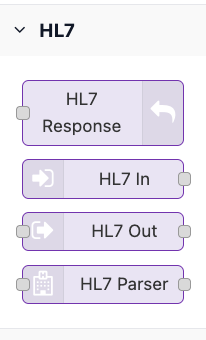
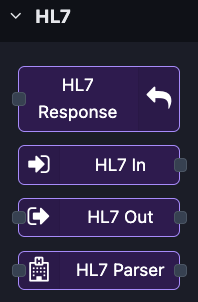
Hospitals can now exchange HL7 v2 messages with ConnectHealth directly over a Site-to-Site VPN. No middleware, no interface engine, no third-party broker in the path.
- ✅ Receive and send — three new workflow steps let a flow listen for inbound HL7 messages, send messages out to a hospital system, and return an acknowledgement on the same connection
- ✅ Automatic routing — incoming messages are matched to the right connection by network address and by the sending facility and application named in the message header
- ✅ Message-type filtering — a flow can listen for only the message types it cares about, such as admissions or results
- ✅ Complete audit trail — every message received, sent, and acknowledged is recorded in the audit log
🏥 Elation Health
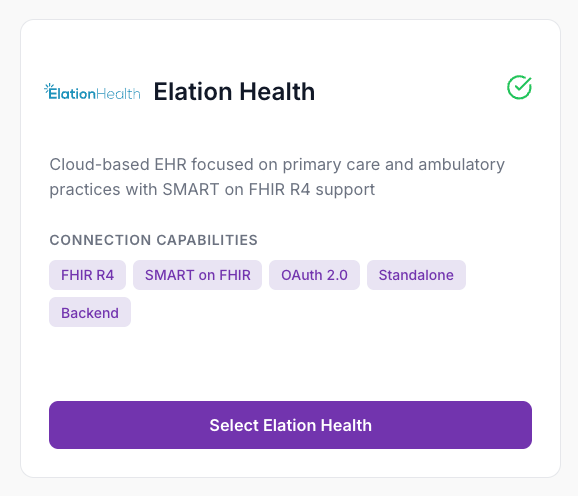
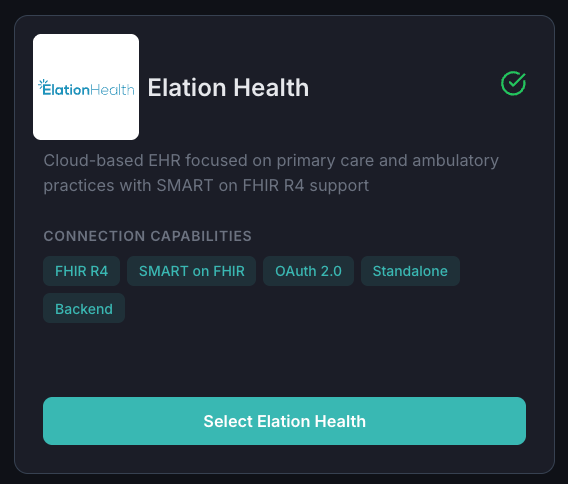
Elation Health joins the supported EHR list, covering both clinician-launched and system-to-system workflows.
- ✅ Patient-facing launches without requiring a client secret
- ✅ System-to-system access for background workflows
- ✅ Full FHIR R4 search, read, create and update
- ✅ Guided setup — an in-product configuration page covering prerequisites and every field
📊 Dashboard Numbers You Can Trust
Dashboard counts now reflect the true state of your account rather than whatever happened to be on the current page.
- ✅ Connection and workflow totals are calculated from the full set, not the visible page
- ✅ Subscription usage is fetched fresh on every dashboard load


🔗 Shareable, Bookmarkable List Views
Connections, Workflows and Audit Logs now keep your page, search and filters in the address bar.
- ✅ Send a teammate a link to exactly the filtered view you are looking at
- ✅ Browser back and forward work as expected, and a refresh keeps your place
🔧 HL7 Connection Setup
A dedicated setup panel for HL7 connections, split cleanly between message settings and network settings, with duplicate-address detection so two hospitals cannot claim the same route.
🏷️ Now Called ConnectHealth
The product is now ConnectHealth throughout the platform and documentation.
🐛 Fixes
| Area | Fix |
|---|---|
| Dashboard | Counts no longer show stale or page-limited totals |
| Sessions | Duplicate "session expired" messages no longer stack up |
| Workflows | List sorts reliably by creation date |
| Workflows | The connection filter shows connection names instead of raw identifiers |
| Navigation | Moving between pages no longer reloads the whole application |
| Connections | Clearer validation when a system-to-system connection is missing its credentials |
📝 Upgrading
Existing connections and workflows continue to work unchanged. To enable HL7 connectivity, deploy the updated infrastructure template and open the HL7 port to your VPN-connected network — see the Upgrade Guide included with this release.
🚀 ConnectHealth v0.3.70 — HL7 v2 connectivity, Elation Health, and accurate metrics