ConnectHealth v0.3.73
A visual mapping editor that converts between HL7 v2, X12 and FHIR without writing transformation code.
This release introduces the visual mapping editor — build a transformation between two healthcare formats by connecting fields on screen, preview the result as you go, and use the saved mapping as a step in any workflow. What previously meant hand-written transformation code is now a drag, a click and a preview.
✨ What's New
🗺️ Visual Mapping Editor ⭐ Highlight
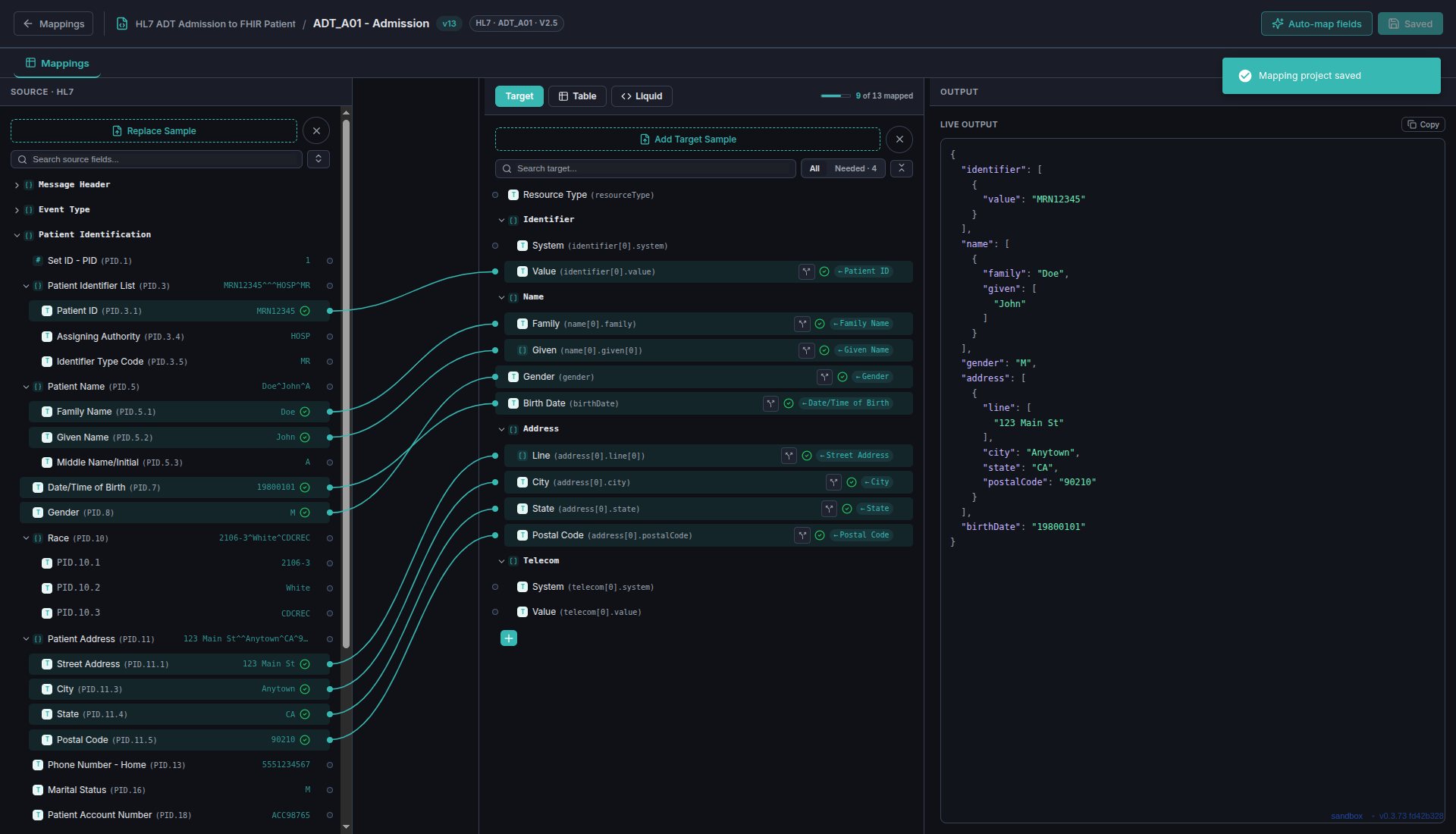
Create a mapping project, add a source sample and a target sample, and connect the fields.
- ✅ Any format to any format — HL7 v2, X12 and JSON/FHIR in any combination, each with a worked example
- ✅ Three views of the same mapping — a Tree view for connecting fields, a Table view for reviewing every mapping at a glance, and a Liquid view for dropping into the underlying template when you need full control
- ✅ Live output — see the transformed message update as you map, before you save anything
- ✅ Starter samples — begin from a supplied admit, results or claim sample rather than sourcing your own
✨ Auto-Map
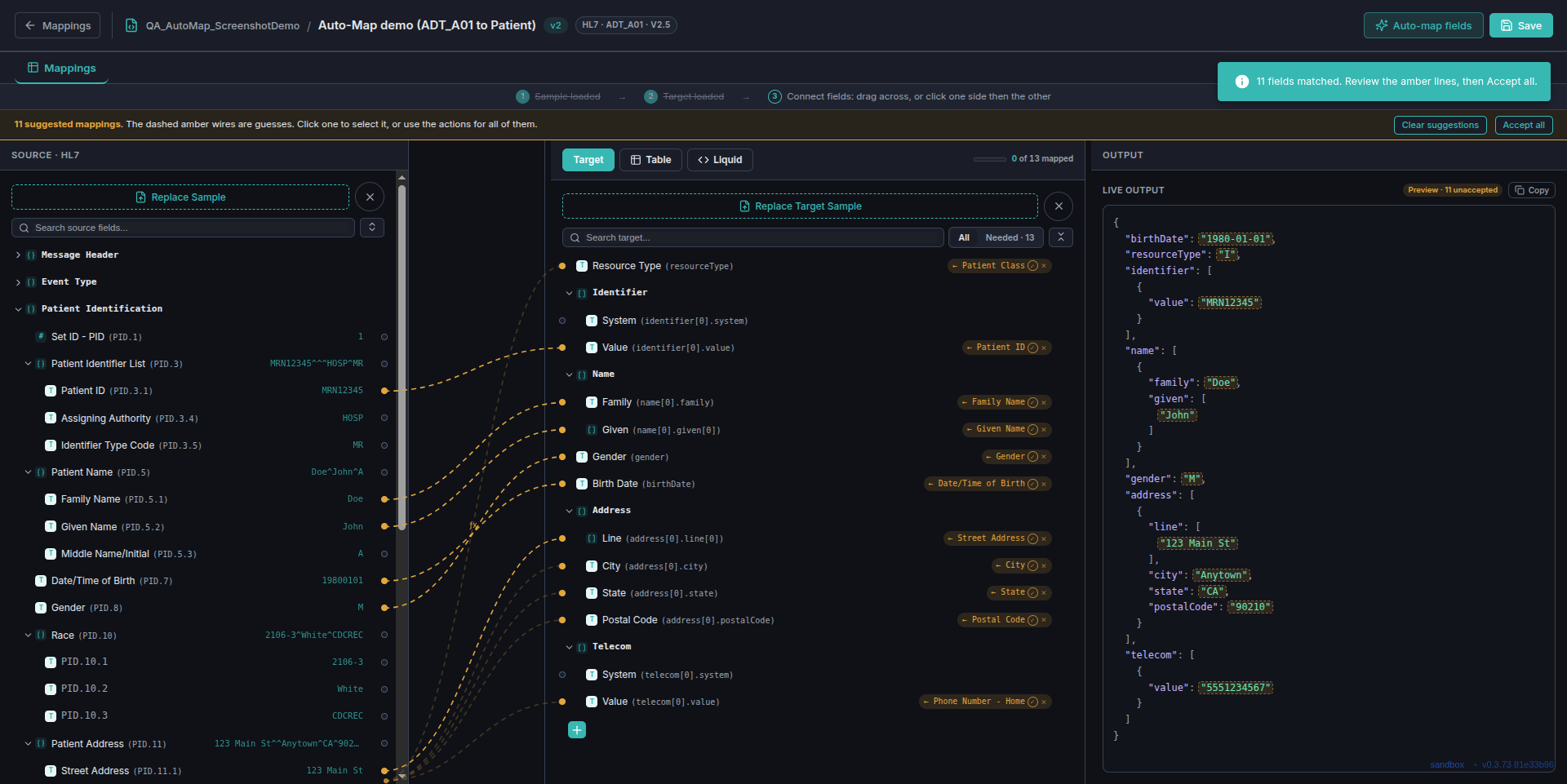
The editor proposes field connections by matching names and types, so a large mapping starts mostly complete.
- ✅ Review each suggestion on its own — accept the ones that are right and dismiss the rest, rather than taking all or nothing
- ✅ Your work wins — a field you mapped by hand keeps its mapping
🔀 Conditions, Filters and Repeating Data
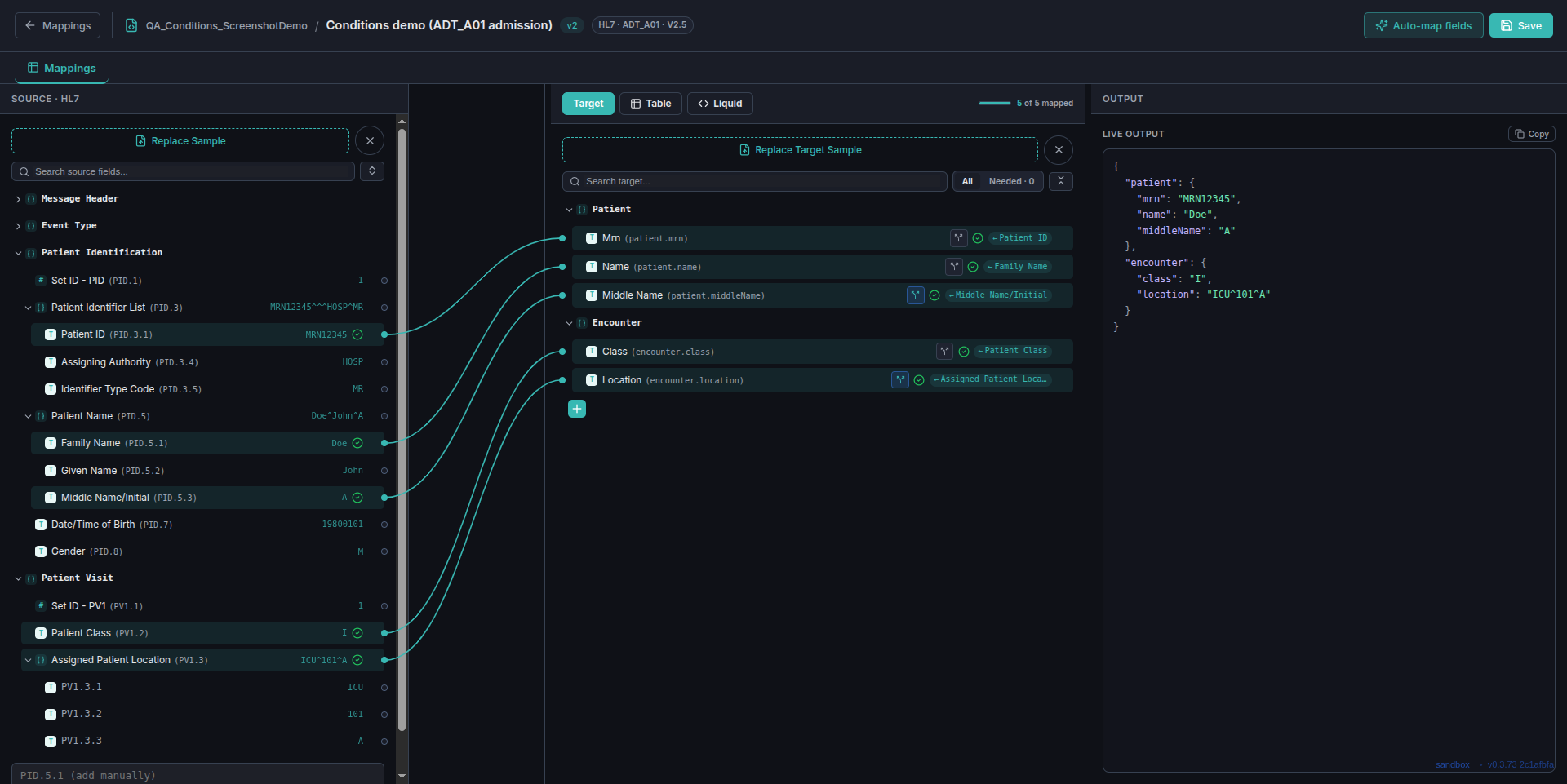
- ✅ Conditions — send a field only when it is populated, only when a value matches, or only when an expression you write evaluates true
- ✅ Filters — apply reusable transformations such as ISO date formatting or uppercase to any mapped field
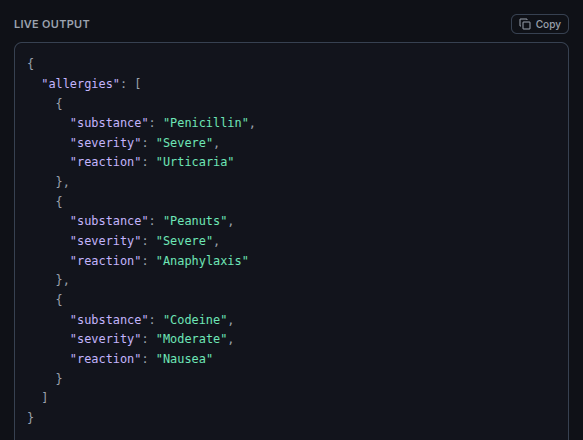
- ✅ Repeating groups — wire one occurrence of a repeating source segment and the editor produces one target entry per occurrence
🔧 Use a Mapping in a Workflow
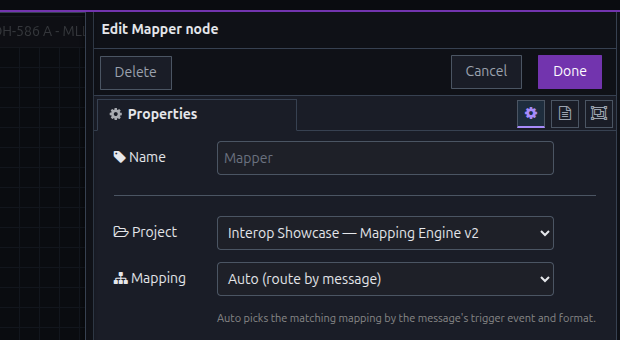
Add a mapping step to any workflow and point it at a saved project.
- ✅ Route automatically by message type, or select a specific template
- ✅ Works directly with messages arriving from an HL7 connection
📦 Move Mappings Between Environments
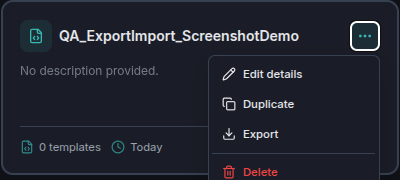
Export a mapping project to a single file and import it elsewhere — from a test environment into production, or between accounts — choosing what happens when a project of that name already exists.
🔗 Smoother Embedded Launches
Embedded EHR launches now discover their endpoints at launch time, so a connection needs less configuration up front and adapts when an EHR changes its published settings.
📝 Upgrading
No database migration, and no change to existing connections or workflows. The mapping editor is additive — nothing needs to change to keep working as it does today.
🚀 ConnectHealth v0.3.73 — visual mapping between HL7 v2, X12 and FHIR