Auto-Map
Let the editor propose field connections by name and type match, review each one, and accept only what's right — instead of wiring every field by hand.
Wiring every field by hand works, but it's rarely necessary. Once both a source sample and a target sample are loaded, the Auto-map fields button becomes active — it compares field names and types across both trees and proposes connections for the ones it's confident about. You review the proposals and decide what to keep.
Here's the whole thing, start to finish — 10 fields matched, a mix of accepted and dismissed suggestions, saved:
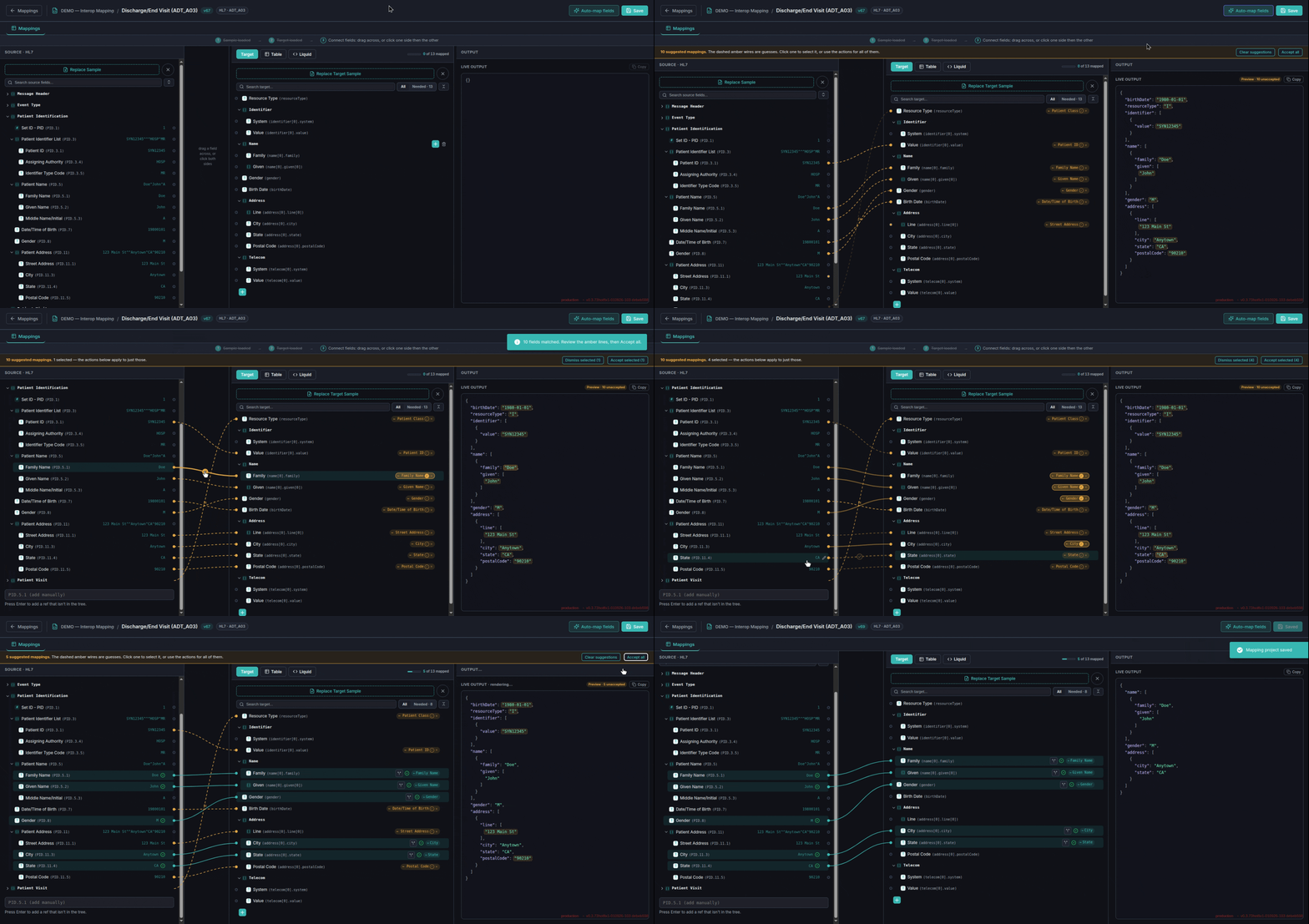
What "Auto-map fields" does
Clicking it doesn't map anything by itself — it draws a set of suggested wires, rendered as dashed amber lines instead of the normal solid teal, and leaves every decision to you. Nothing is saved, and nothing counts toward your mapped-field total, until you explicitly accept.
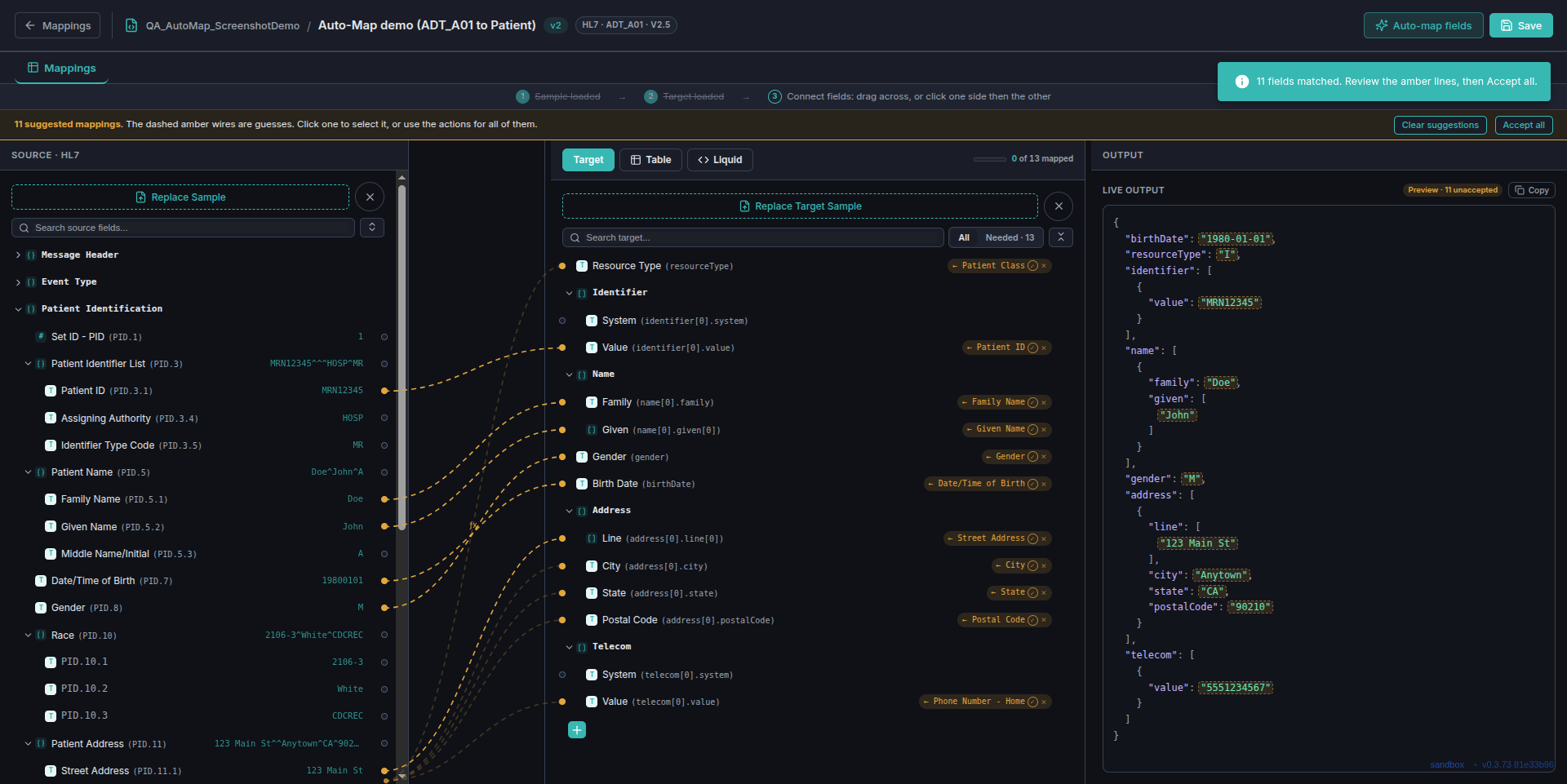
This is worth taking seriously: a name/type match is a heuristic, not a guarantee.
In this exact run, Auto-map also proposed wiring the source's Patient Class
field (an HL7 visit-type code, value "I" for inpatient) to the target's
resourceType — a confident-looking match that's simply wrong. Reviewing
each suggestion before accepting is the point of the dashed-line convention, not an
optional extra step.
Accept some, leave the rest, dismiss what's wrong
You're not limited to all-or-nothing. Click a suggestion's ✓ to select it — or its × to dismiss just that one — then use Accept selected / Dismiss selected in the header bar to act on only what you picked. With nothing selected, the same two buttons read Clear suggestions / Accept all and act on everything at once.

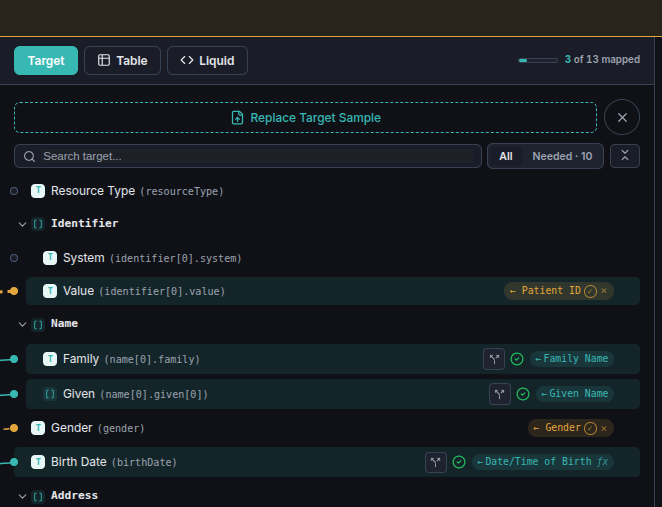
Family was selected and accepted: the wire is
now solid, the row shows a real mapped checkmark, and it counts toward the
3 of 13 mapped total above.
2 — Gender is still an open suggestion (dashed
amber, ✓/× still live) — not yet decided either way.
3 — Birth Date was also accepted, and its tag
carries a small fx marker: Auto-map attached a filter along with the
connection, because the source value (19800101) needed reformatting
into the ISO date FHIR expects (1980-01-01) — visible in the Live
Output for that field once accepted.
When to reach for it
Auto-map is fastest when your source and target field names are already similar —
the more a target schema uses recognizable names (family,
birthDate, gender), the more it has to work with. It won't
replace understanding your mapping, and a wrong suggestion like the one above is a
real possibility, not a hypothetical — but for the fields it gets right, it's
substantially faster than wiring each one by hand, and every suggestion still passes
through you before it becomes real.