Repeating Groups
Wire a single occurrence of a repeating source segment to a target array, and the editor produces one array entry per occurrence automatically — no loop configuration required.
Some source messages repeat a segment more than once — an HL7 message can carry
several AL1 (allergy) lines, several NK1 (next-of-kin) lines,
or several DG1 (diagnosis) lines in a single message. Mapping that kind of
data doesn't need any special loop syntax: wire one occurrence of the
repeating segment to a target array field, and the editor takes care of producing one
array entry per occurrence on its own.
What it looks like end to end
Here, a source message carries three AL1 lines — three separate allergy
records for the same patient. Wiring AL1.3.2, AL1.4.2, and
AL1.5.2 from the first occurrence to allergies[0].substance,
allergies[0].severity, and allergies[0].reaction is enough —
the Live Output panel shows all three allergies, fully populated, with no further setup.
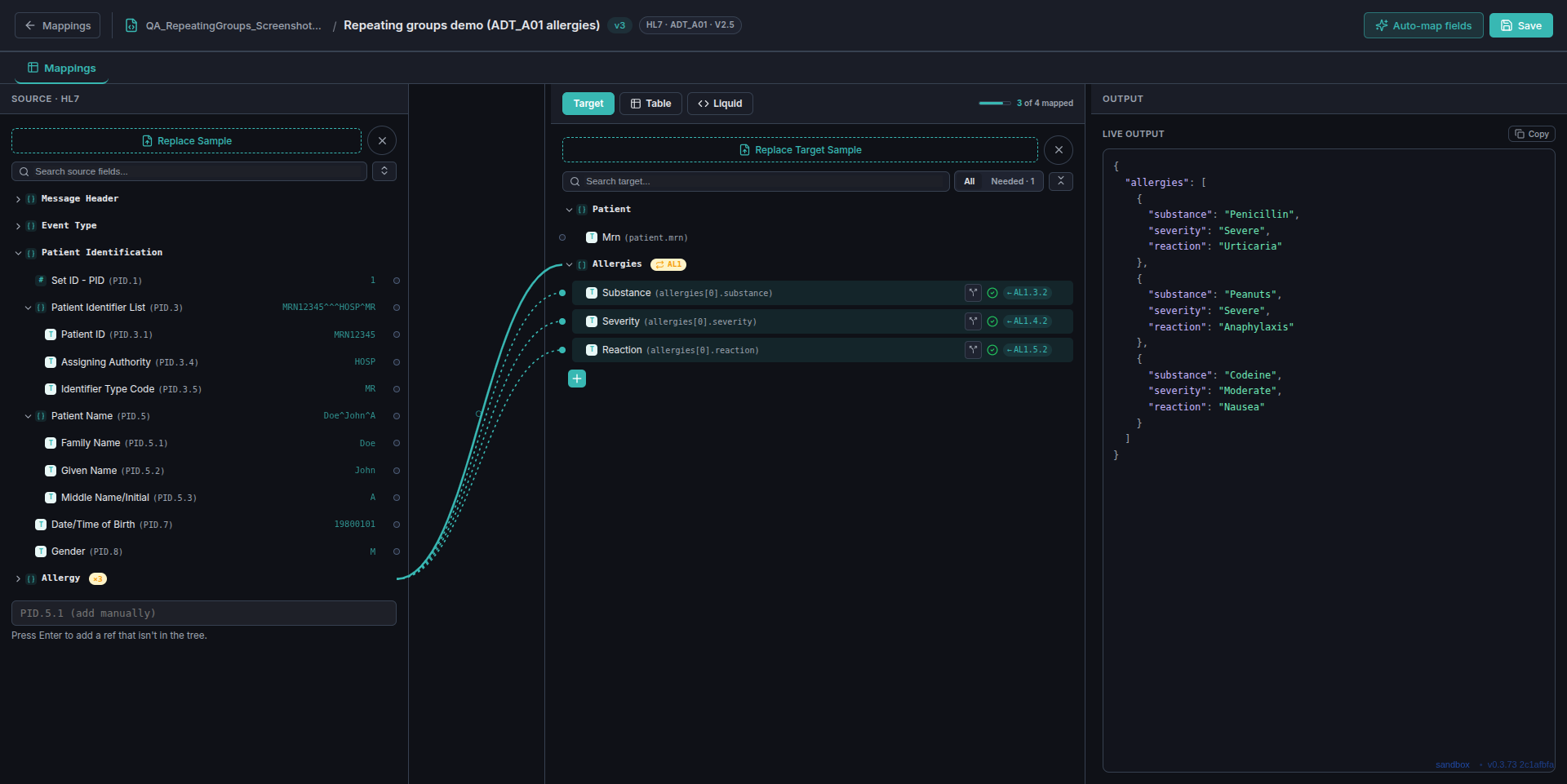
AL1 occurrences map through one set of wires
to a target array — Live Output shows three complete records, not one.Two signals tell you it's a loop, not a single field
Nothing about the wiring gesture itself is different from a normal field mapping — what changes is what the tree shows you before and after.
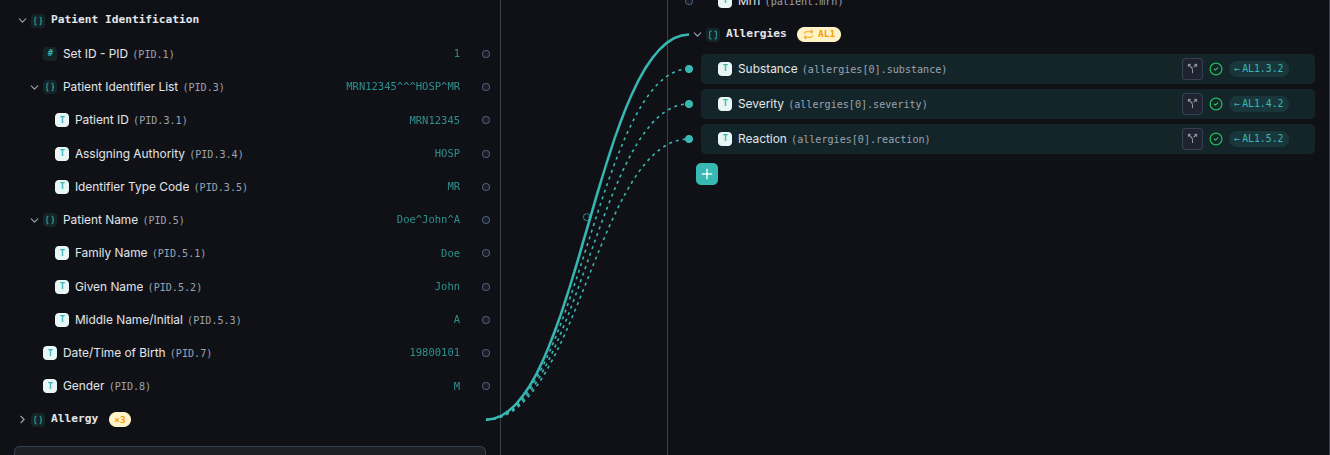
Allergy with an ×3 badge — the editor detected three
occurrences of that segment in the loaded sample.
2 — once a field from that segment is wired to a target array,
the target group picks up a small AL1 loop badge, and its tooltip
spells it out: "Every 'AL1' occurrence maps here (Loop / Array)."
One wire, three records
You only ever wire the first occurrence's fields. The Live Output panel is where the fan-out actually becomes visible — each source occurrence produces its own entry in the target array, in order, with no per-occurrence configuration.
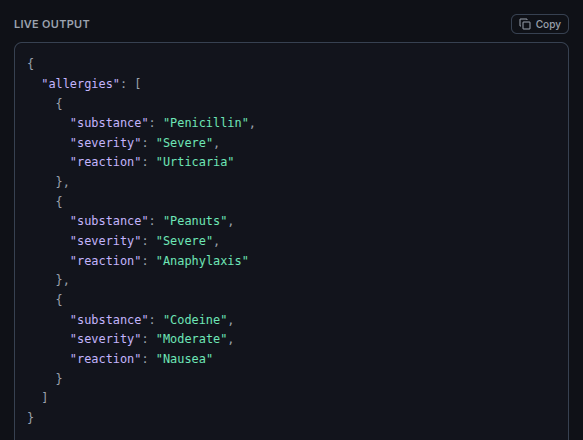
AL1 occurrence in the
source message, each with substance, severity, and
reaction filled from that occurrence's own fields — Penicillin,
Peanuts, and Codeine, each with its own severity and reaction, not just the first
one repeated three times.
Where this comes up
This applies to any HL7 segment that repeats — allergies (AL1), next of
kin (NK1), diagnoses (DG1), insurance (IN1), and
more — as well as repeating loops in X12 messages. The mechanism is always the same:
wire the first occurrence, target an array field, and let the editor handle the rest.
If a source field within one occurrence happens to be missing for that particular
record, that one key is simply left out of that entry's output — the other occurrences
are unaffected.